

HTTP Method: Implementation with Koa.js
Written by Kamal Hossain
April 10, 2024

Koa.js is a backend framework for Node.js. It is used for developing backend servers. You can learn more about this in one of our previous blogs.
In this article, we will learn the step-by-step guide on how to implement the different HTTP endpoints via the Koa.js framework. However, before going further, you will need to know the fundamentals in Node.js and Npm packages.
Setting Up Koa.js
Step 1 - Initialize Koa.js
First, you will need to initialize our project with Koa.js. In order to do that make sure you have the latest version of Node.js installed in your system.
Step 2 - Create a Folder
Create a folder with the name of your project. Inside that folder, create a "package.json" file with the following content:
{
  "name": "koa-http",
  "version": "1.0.0",
  "description": "",
  "main": "index.js",
  "scripts": {
    "start": "node index.js"
  },
  "keywords": [],
  "author": "",
  "license": "ISC",
  "dependencies": {
    "koa": "^2.15.2"
  }
}
Now, in the same project folder, create a "index.js" file containing the following code:
const Koa = require('koa')
const app = new Koa()

app.use(async (ctx) => {
  ctx.body = 'Welcome to Ark-am tutorial!'
})

app.listen(3000)
Now it is time to install the dependencies for that type npm install from the terminal. Make sure you are in the same folder via your terminal where your package.json file is located; cmd or bash or zsh. Type "npm start" in the terminal, where the directory is still in the project folder.
Step 3 - NPM Install
Install the dependencies for that type of /npm install from the terminal. Make sure to be in the same folder within the terminal where your package.json file is located.
Now type "npm start" from your terminal. This should give you the output on your browser at the following URL: http://localhost:3000. The output should be the Hello World text, which indicated you have successfully installed the Koa.js package in your system.
Hello World!

Implementation of HTTP Methods
Step 4 - GET, POST, PUT & DELETE
Now we are going to add GET, POST, PUT & DELETE endpoints via the koa-router. It is the router middleware for Koa. Insert the following code in the index.js file.
const Koa = require('koa')
const Router = require('koa-router')
const bodyParser = require('koa-bodyparser')

const app = new Koa()
app.use(bodyParser())
const router = new Router()

// GET method
router.get('/api', async (ctx) => {
  ctx.body = 'GET request received successfully.'
})

// POST method
router.post('/api', async (ctx) => {
  ctx.body = 'POST request received successfully.'
})

// PUT method
router.put('/api/:id', async (ctx) => {
  const { id } = ctx.params
  const requestBody = ctx.request.body
  ctx.body = {
    message: `PUT request received for resource with id ${id}`,
    requestBody: requestBody,
  }
})

// DELETE method
router.delete('/api/:id', async (ctx) => {
  const { id } = ctx.params
  ctx.body = `DELETE request received for resource with id ${id}`
})

app.use(router.routes())
app.use(router.allowedMethods())

app.use(async (ctx) => {
  ctx.body = 'Welcome to Ark-am tutorial!'
})

app.listen(3000)
Step 5 - Testing HTTP Methods
GET
To test the GET method, go to your locahost URL, http://localhost:3000, in order to receive the following response:
GET request received
POST
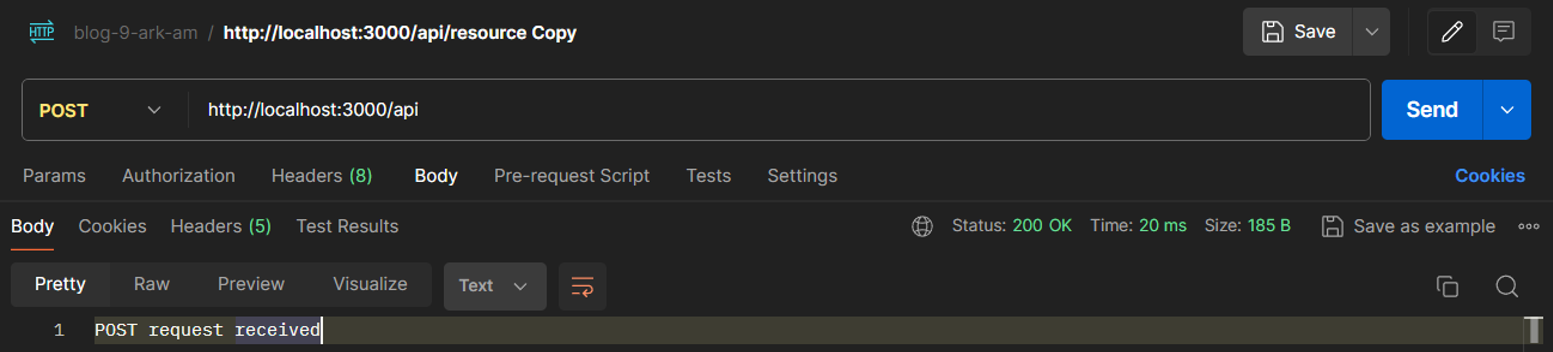
To test the POST method, we can use Postman. We can create a new HTTP post method like this one.
PUT
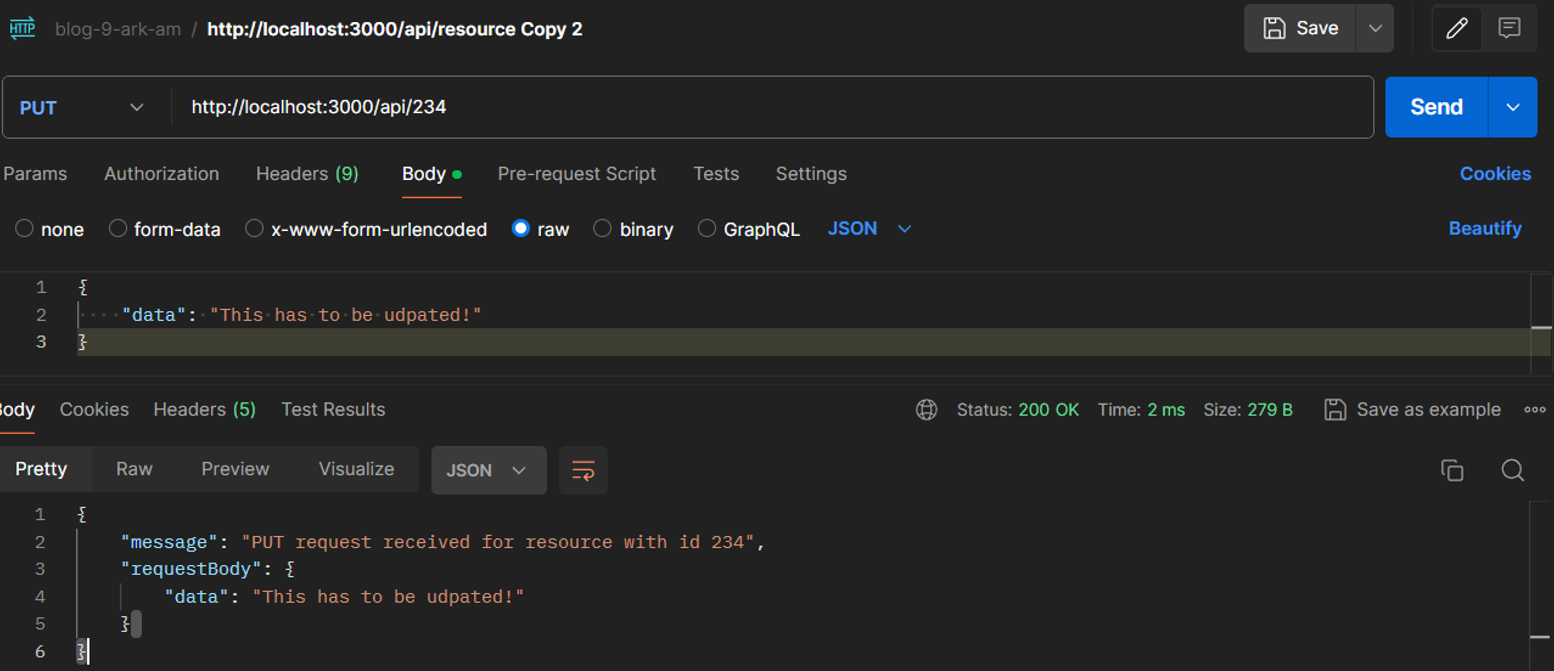
The PUT method is used to update any specific resource at the server. We can test this on Postman as well. Here we are giving the ID of 234 at the URL, but any numerical ID can be used, and applying some basic data on the body to update. See image below.
DELETE
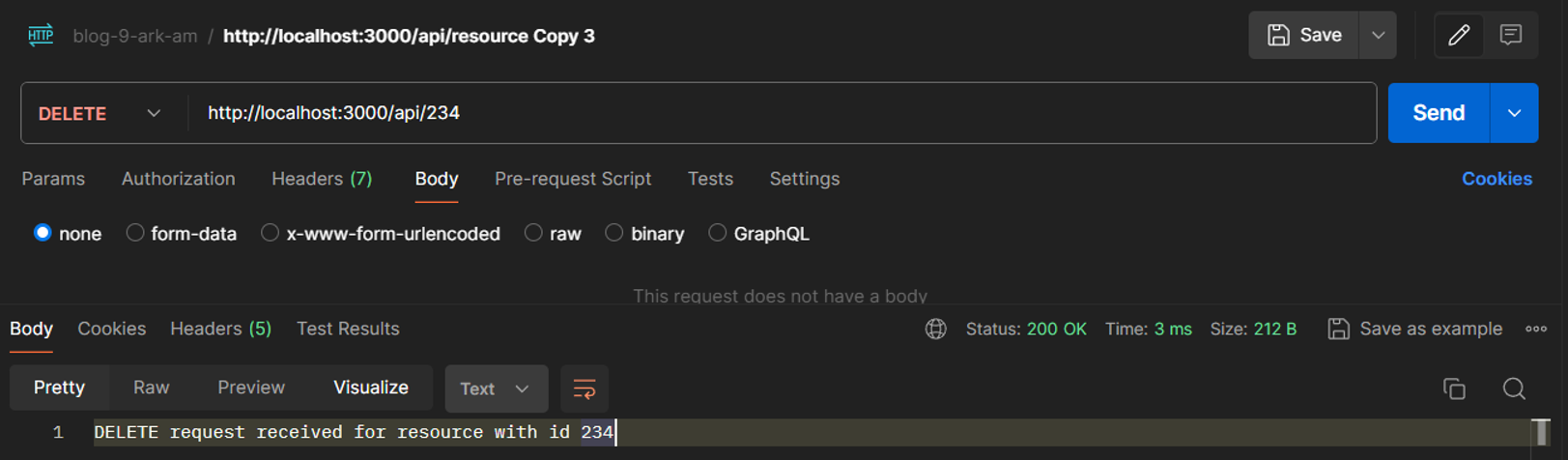
We use this method to delete something from the server. In order to delete, we need to pass the associated ID. However, no data from the body is required, such as the above PUT request.
Summary
From this blog, we discussed the 4 most important methods that are frequently used day-to-day. There are more methods, however those can be similarly implemented. If you struggling to understand and/or utilize this method, feel free to contact us.
Thank you and happy learning.
Share this article