Pebble Apps
Simple and focused apps for the Pebble smartwatches.

A smartwatch is at its best when it saves you from reaching for your phone. That is the idea behind our Pebble apps: each one does one job, does it well, and gets out of your way.
Phone Dialer
Make a call right from your wrist.
Start a phone call from your Pebble by choosing a favourite, finding a contact, opening your recent calls, or entering a number. Phone Dialer works with Android and requires its free companion app to place calls through your phone.
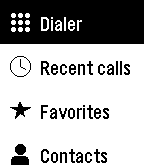
Contacts and Recent Calls: Find starred contacts and browse an alphabetical contact list, or return a call from your latest 100 calls.
Dial with Confidence: Use the keypad for any number, including international numbers. Confirm each call before it is placed.
Your Watch, Your Way: Use buttons on every Pebble, or touch controls on Pebble Time 2 and Pebble Round 2. Choose a light or dark theme and rearrange the main menu.
Compatible watches
Phone Sound Mode
Silence your phone with an easy reach.
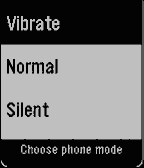
No need to look at your watch. Simply hold the assigned button to launch the app and select the middle button to place your phone on vibrate.
Three Modes: Switch your phone between Vibrate, Silent or Normal.
Install an APK file: We could not overright the system setting via the app. Therefore needing to create separate APK file to allow the permission needed.
Every Pebble Supported: From the original Pebble through to the Pebble Time 2 and Pebble Round 2. Note: Not all the watches have been tested, so please provide any constructive feedback.
Compatible watches

Phone Voice Commands
Speak to your Pebble and let your phone do the work.
Open the app, say what you need, check the words on the confirmation screen, and your Android phone carries it out the rest. The answer appears on your watch and notifies with one vibration when it worked and with two vibrations when it did not. Phone Voice Commands does require its free companion app. Be aware that your phone may have restrictions to invoke this app's command when the screen is off. Usually, unlocking or pressing the power button or giving the app permission to run in the background solves this issue.
Calls, Texts and Directions: Say "Call Mom", "Text Sam I'm running late" or "Navigate home". Contacts are matched by whole names, so the app never guesses.
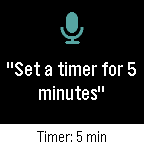
Timers, Music and More: Set timers and alarms, control music and volume, switch the flashlight on or off, and open apps. Speak naturally, or say "Help" to see examples on your watch.
Private by Design: Your speech is turned into text by the Pebble phone app's dictation, then commands are carried out on your phone and never sent to our servers.
Compatible watches